
Most WordPress security problems do not start as dramatic outages.
They start as pressure.
Login attempts climb. Search and filter routes get scraped. Checkout slows down for a few real customers while hundreds of low-value requests keep touching PHP, MySQL, and plugin code in the background. The site stays up, but the experience gets worse in all the places that matter most.
That is the environment where automated threat detection actually matters.
For WordPress and WooCommerce, the point is not to light up a dashboard with suspicious events. The point is to spot abusive behavior early enough to stop it before it turns into lost revenue, degraded admin performance, fake orders, or a hosting investigation that never finds the real cause.
What Automated Threat Detection Should Mean on WordPress
On paper, automated threat detection sounds simple: identify bad behavior and react quickly.
In practice, many tools stop too early. They log login attempts, flag odd user agents, or mark IPs as suspicious after a threshold has already been crossed. That may be useful for reporting, but it does not necessarily protect a live site.
On a production WordPress stack, useful detection should answer questions like:
- which requests are repeatedly touching expensive dynamic paths
- which clients are behaving like automation instead of real users
- which patterns are distributed enough to avoid crude IP blocking
- which actions are annoying but harmless, and which ones are revenue-impacting
That last point matters.
Not every bot is equally dangerous. Some requests are simple nuisance traffic. Others hit the exact routes that hurt stores and membership sites fastest:
/wp-login.php/wp-admin/- account creation and password reset flows
- cart and checkout
- search, filter, and AJAX endpoints
- plugin-specific forms, APIs, and webhooks
If the detection system does not understand the difference between a static page hit and repeated pressure on a dynamic WooCommerce flow, it is not tuned for WordPress operations. It is just generating security noise.
The Real Problem Is Usually Resource Drain
The classic mental model for an attack is a visible flood that takes the site offline.
That still happens, but a lot of WordPress pain is quieter than that.
Real-world abuse often looks like:
- credential stuffing spread across many IPs
- low-volume scraping against product and category pages
- fake account creation mixed into legitimate browsing
- repeated cart or checkout hits that waste session and database work
- probing against plugin routes, admin paths, XML-RPC, or AJAX actions
None of that has to knock the site over immediately to become expensive.
All it has to do is keep PHP workers busy enough that legitimate traffic starts waiting behind junk. Once that happens, the symptoms get misdiagnosed. Teams blame hosting, object cache, image weight, theme bloat, or a bad plugin release. Sometimes those factors are part of the story. Often they are not the root cause.
Automated threat detection is valuable because it helps separate normal production load from behavior that should never have reached the origin in the first place.
Why Edge Placement Changes the Outcome
Detection that only happens inside WordPress is better than nothing, but it starts from a bad position.
By the time the request reaches the application:
- the connection has already reached your origin
- PHP may already be awake
- MySQL work may already be queued
- plugin code may already be involved
That makes origin-side detection inherently more expensive.
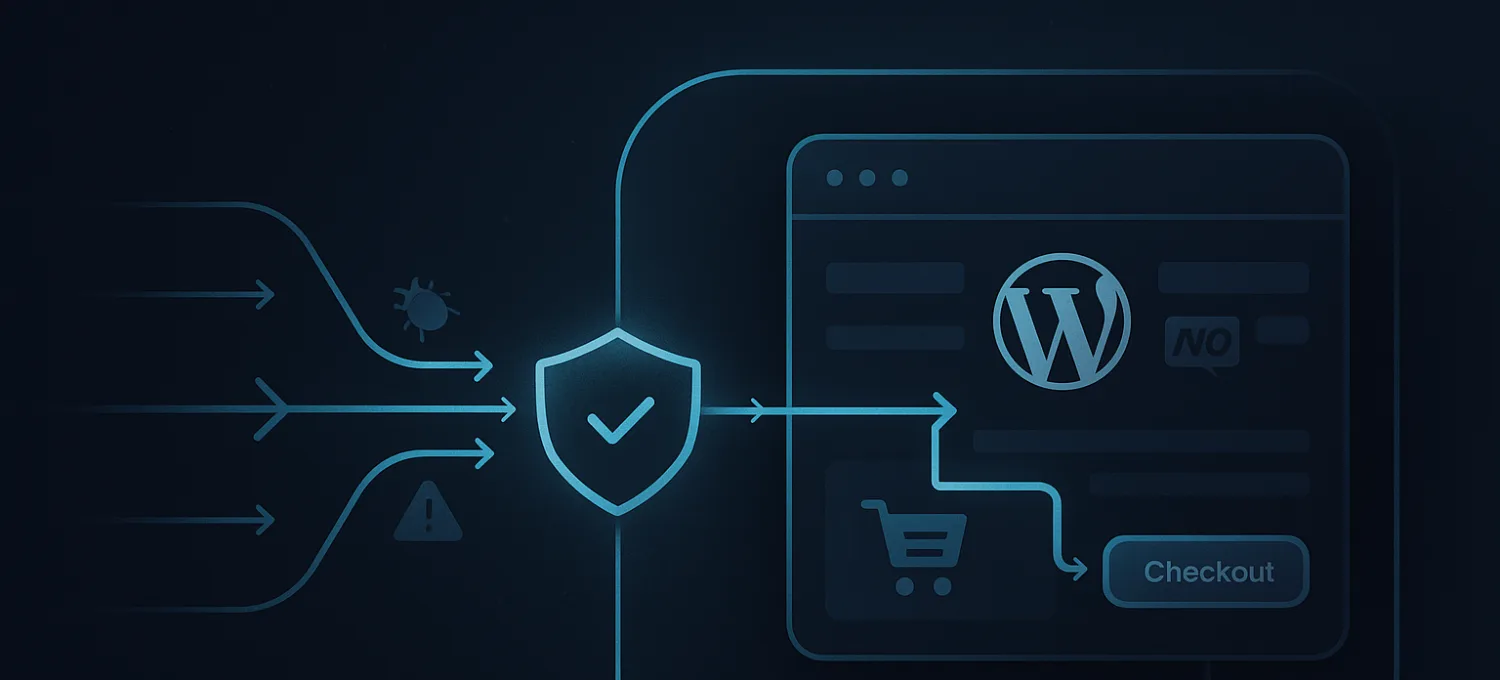
For WordPress and WooCommerce, the best place to detect and act is usually at the edge, before expensive requests touch the origin at all. That does not replace application awareness. It changes the economics.
An edge-first setup lets you:
- rate limit login and admin paths before they hit PHP
- challenge or block obvious automation earlier
- protect search, account, cart, and checkout routes during attack pressure
- absorb distributed request patterns without burning backend resources
That matters especially on stores, because the most important pages are often the least cache-friendly ones.
If your detection system only tells you what happened after checkout slowed down, it is too late.
What Good Detection Signals Look Like
The strongest signals are rarely single events. They are patterns.
On WordPress, useful signals usually combine several dimensions:
- request path
- request rate over time
- method and body behavior
- repeated failure patterns
- session behavior
- country or ASN anomalies when relevant
- bot-like sequencing across expensive routes
A login burst from one IP is easy. The harder cases are distributed patterns that look individually harmless but become expensive in aggregate.
That is why practical detection should watch for combinations such as:
- many clients rotating through
/wp-login.phpwith similar timing - repeated product, search, and account-page traversal with no real shopping behavior
- spikes in failed coupon, account, or checkout actions
- bursts on plugin-specific endpoints after a marketing campaign starts
The objective is not to prove malicious intent perfectly. The objective is to identify traffic that is operationally unhelpful and expensive enough to justify action.
WordPress and WooCommerce Need Different Sensitivity by Route
One of the fastest ways to create false positives is to treat every path the same.
A homepage visit is not the same as a checkout POST. A static asset request is not the same as a login attempt. A product page request from a search engine is not the same as a scripted crawl hammering filters and pagination.
For that reason, detection strategy should be stricter where the cost of abuse is higher:
- authentication paths
- admin paths
- search and filter endpoints
- account creation and password reset
- cart and checkout
- XML-RPC and plugin-specific RPC-style routes
- forms, uploads, and exposed webhook handlers
This route-aware model is one of the big differences between generic security tooling and something that actually protects WordPress well.
Detection Is Only Useful If the Response Is Safe
The next question is what happens after a pattern is detected.
Heavy-handed blocking sounds good until it clips legitimate users, payment providers, automation you actually need, or admin workflows that look unusual for valid reasons.
That is why practical response policy should be graduated:
- log and observe when the signal is weak
- rate limit when the behavior is suspicious but not definitive
- challenge when a browser-capable client can prove legitimacy
- block when the pattern is clear and the route is sensitive
This is especially important for WooCommerce.
False positives on catalog browsing are annoying. False positives on checkout, payment callbacks, or account flows are a direct business problem.
Good automated threat detection is not only about accuracy. It is about choosing the least dangerous intervention that still protects origin resources.
What Site Owners Should Measure
Many teams look at the wrong numbers.
They monitor overall traffic, CPU, or generic uptime while missing the route-level signals that explain why the site feels unstable.
For WordPress and WooCommerce, the more useful questions are:
- which dynamic paths are receiving the most abusive pressure
- how many requests are being filtered before origin
- whether login, admin, cart, and checkout latency improve after policy changes
- whether fake accounts, fake orders, or failed auth bursts are dropping
- whether real-user conversion paths remain clean during attack windows
A healthy security program should reduce wasted origin work, not just increase the size of the event log.
A Practical Deployment Model
If you want automated threat detection to help rather than confuse the team, keep the rollout simple.
Start with:
- the most expensive routes
- visibility into recurring bot and abuse patterns
- narrow protections on authentication and admin paths
- additional controls on WooCommerce account, cart, and checkout flows
- a review loop that checks both abuse reduction and false positives
Do not try to solve every class of abuse with one giant policy on day one.
WordPress environments vary too much for that. Plugins, forms, payment flows, and customer behavior all change what "normal" looks like.
The better approach is to start with the routes where bad traffic is expensive, learn from real behavior, and tighten controls incrementally.
The Goal Is Fewer Expensive Surprises
Automated threat detection is not valuable because it sounds advanced.
It is valuable because WordPress and WooCommerce sites are full of dynamic paths that become fragile under the wrong traffic mix. When detection is tuned well, it helps you catch abusive behavior before the site turns slow, erratic, or operationally noisy.
That is the standard that matters.
Not whether the dashboard looks busy. Whether the site stays usable for real people while bad traffic gets filtered earlier and more cheaply.
If your current setup still waits for WordPress itself to absorb the pressure before reacting, the problem is not only detection quality. It is where the detection happens.