
You open your store in the morning and nothing looks completely broken.
The homepage loads for some visitors. Admin works, then hangs. Checkout starts, then times out. Support tickets say payment failed, but not for everyone. Your host says resource usage is high and suggests checking plugins.
That’s what makes a dns amplification attack so frustrating. It often doesn’t look like a clean outage. It looks like a site that’s slowly losing the ability to function under pressure.
For WordPress and WooCommerce teams, that confusion costs time. People disable plugins, purge caches, switch themes, and restart services while the core problem is upstream. The server isn’t being hacked in the usual sense. It’s being buried in traffic it never asked for.
A hard truth helps here: the site isn’t down. It’s being forced to waste energy.
Table of Contents
- Your Site Is Slow Not Down
- How a DNS Amplification Attack Works
- Signs Your WordPress Site Is Under Attack
- Why Blocking IPs and Server Firewalls Fail
- Immediate Steps to Mitigate an Ongoing Attack
- Long-Term Prevention with Edge Protection
- Building Your Resilient Incident Response Plan
Your Site Is Slow Not Down
A lot of attacks announce themselves with a white screen, a dead origin, or a monitor screaming red. DNS amplification usually doesn’t start that cleanly.
It starts with symptoms that look ordinary. The cart page gets sticky. Account pages spin. Admin logins take longer than they should. A few customers complete orders, a few don’t, and your team can’t reproduce it consistently.
What this looks like in practice
On WordPress, the first instinct is usually to blame PHP workers, object cache, or a plugin update. On WooCommerce, people often suspect the payment gateway because checkout failures show up before anything else.
That’s reasonable. It’s also why this attack wastes so much operator time.
What’s happening behind the scenes is simpler than it looks. The origin starts spending capacity on traffic pressure it shouldn’t be handling at all. Network queues get crowded. Upstream links fill. Requests that matter arrive late or not at all.
Practical rule: If the homepage is half-alive but checkout and login are falling apart, don’t assume it’s an application bug first. Treat it as a traffic problem until proven otherwise.
Why hosts often give fuzzy answers
Many hosting teams can tell you load is high. Fewer can show you why in a way that maps cleanly to business symptoms.
So you get vague guidance:
- Check plugins: because WordPress is dynamic
- Upgrade plan: because more resources might mask pressure
- Enable caching: which helps some pages, but not authenticated flows
- Review logs: useful, but only if you know what pattern to look for
That’s why teams start searching for broader protection options like DDoS protected web hosting. They’re trying to solve a network problem with infrastructure that can absorb bad traffic before WordPress has to care.
The key mindset shift is this. A dns amplification attack wins by making your environment do work at the wrong layer. If your origin is the first place that sees the flood, you’re already playing defense too late.
How a DNS Amplification Attack Works
A dns amplification attack is a reflection attack. The attacker doesn’t need to send all the traffic directly at you. They get other systems to send much larger responses to your IP.
The cleanest analogy is a postcard asking for an encyclopedia set.
The short version
The attacker sends a very small DNS request to an open DNS resolver. That resolver is a server willing to answer queries from almost anyone.
The attacker forges the source address on that request so it looks like the request came from the victim. That’s IP spoofing.
The resolver believes the request is legitimate and sends the answer to the spoofed address. Your address. If the answer is much larger than the original request, the attacker has turned a small input into a much bigger flood.
Why the traffic gets so large
The entire trick is the size mismatch between query and response.
According to PowerDMARC’s explanation of DNS amplification, these attacks commonly reach 28x to 54x amplification, with extreme cases up to 179x. The same source notes that a 60-byte query can trigger a 4,000-byte response, and that the 2013 Spamhaus attack reached 300 Gbps using this method.
Attackers don’t pick random queries. They choose questions likely to trigger bulky answers.
Common patterns include:
- ANY queries: These ask for multiple record types in one response.
- DNSSEC-enabled zones: Cryptographic signatures add more data to the response.
- EDNS0 support: Larger UDP packet handling can inflate what gets sent back.
- Open recursive resolvers: These do the attacker’s work for them and send the result outward.
That’s why the attacker’s bandwidth is not the main story. The internet’s own infrastructure becomes the multiplier.
You’re not fighting one hose. You’re standing under thousands of legitimate servers all dumping buckets at once.
What this means for a website owner
From the outside, your server looks like it’s being hit by lots of valid DNS responses from real resolvers. Those resolvers are often innocent participants. They’re answering requests they think came from you.
That changes how you defend the site. You can’t treat this like a noisy scraper or a login brute-force wave where one block rule fixes the problem. The pressure is distributed, reflected, and shaped to overwhelm links and devices before your application gets a clean chance to respond.
For WordPress owners, this matters because the application stack is rarely the first thing to fail cleanly. The network gets unstable first. Then the symptoms cascade into PHP timeouts, broken admin sessions, stuck carts, and support tickets that make the issue look like five different problems at once.
Signs Your WordPress Site Is Under Attack
The user-facing symptoms usually show up before anyone labels it correctly.
What visitors notice first
Most visitors won’t say “your network is under reflected UDP pressure.” They’ll say the site is weird.
You’ll hear things like:
- Checkout hangs: customers submit payment and wait too long
- Account pages fail: logged-in areas feel much worse than cached pages
- Intermittent errors: some requests work, others stall
- Admin is unreliable: wp-admin loads, then partially fails
- Search and filters drag: dynamic requests feel heavier than usual
For WooCommerce, the pattern is especially ugly because the most valuable flows are the least cacheable. The homepage might survive just enough to create false confidence while carts and account actions degrade first.
What technical teams usually see
If you have host telemetry or network visibility, look for a mismatch between “traffic exists” and “usable application throughput.”
Useful signs include:
- High load without a matching campaign or launch
- Support complaints that cluster around checkout, login, or account pages
- Origin resource pressure that doesn’t map neatly to one plugin or cron job
- A sharp rise in inbound UDP traffic on port 53
- DNS responses arriving in volume even though your site didn’t initiate the requests
A dns amplification attack has a different feel from a plugin problem. Plugin issues are often repeatable. This isn’t. One request is fine, the next is delayed, the next fails, then the site seems normal for a minute.
If your team keeps saying “we can’t reproduce it consistently,” that inconsistency is itself a clue.
Another tell is how bad the application looks compared with how little useful user activity is happening. You’ll see stress, but not the kind that comes from a successful campaign or a busy sale.
For agencies managing multiple sites, compare affected sites by network path and protection layer, not just by plugin stack. If several sites on similar hosting start acting unstable at once, the issue may sit above WordPress entirely.
Why Blocking IPs and Server Firewalls Fail
At this point, many response efforts go sideways.
A site owner sees bad traffic, opens logs, finds recurring source addresses, and starts blocking. That works against some abuse patterns. It’s the wrong instinct for dns amplification.
The traffic source is the trap
In this attack, the incoming traffic often comes from real DNS resolvers, not directly from the attacker. Those systems are being abused as reflectors.
So when you block source IPs, you’re not necessarily blocking the operator behind the attack. You’re blocking responders. In practice, that becomes messy fast because the list can be large, distributed, and constantly changing.
Worse, many of those sources have clean reputations. They aren’t bot devices trying to log into wp-admin. They’re DNS servers sending answers they were tricked into sending.
Volume beats local defenses
The bigger problem is placement. Server firewalls act after traffic has already reached your server or hosting environment.
Imperva’s write-up on DNS amplification gives a simple illustration of the asymmetry: a 60-byte query producing a 4,000-byte response creates a 66x amplification factor, and an attacker with a 10 Mbps connection can generate over 660 Mbps of attack traffic.
That’s the part many teams miss. The firewall rule might be correct and still useless operationally.
By the time a host-level firewall drops packets:
- Your connection may already be saturated
- Queues may already be full
- Legitimate requests may already be delayed
- Monitoring may show the server “up” while users can’t complete actions
A stronger server doesn’t fix that. More CPU doesn’t widen an exhausted upstream pipe.
Blocking reflected resolver IPs is like locking your front door while the flood is already inside the building.
Server-side tools still have value. They help with application abuse, login attacks, and narrower patterns. They just aren’t the right primary answer when the main failure point is traffic volume hitting before the application stack can make a decision.
Immediate Steps to Mitigate an Ongoing Attack
When the attack is live, speed matters more than elegance.
What to do in the first hour
Start with containment, not diagnosis theater.
-
Tell your hosting provider you suspect DDoS traffic
Don’t open with “the site is slow.” Say you suspect a volumetric attack and describe the user impact. That changes the path of escalation.
-
Reduce origin exposure immediately
If you already have edge controls, tighten them now. Aggressive filtering is acceptable during an active incident. Temporary friction is better than a dead checkout.
-
Stop chasing plugin ghosts
Don’t spend the first hour disabling random components unless you have a clear reason. During traffic pressure, each change adds noise and can make rollback harder.
-
Protect business-critical paths first
If you can preserve login, cart, checkout, and account access for real users, you buy time. Static pages matter less than revenue paths.
-
Coordinate one owner
One person should talk to the host, one should review telemetry, and one should handle customer comms. Too many people changing settings at once creates a second incident.
If part of your emergency response involves targeted blocking for other abuse mixed into the event, this practical guide on how to block IP address is useful. Just don’t mistake that for the main fix when amplification traffic is the primary issue.
Keep your language simple internally. “Origin under traffic pressure” is better than ten speculative theories in chat.
Long-Term Prevention with Edge Protection
Most site owners don’t control the broader internet conditions that make DNS amplification possible. They can’t personally fix spoofing across other networks or clean up open resolvers across the world.
They can control where malicious traffic gets stopped.
What site owners can control
There are traditional defenses, and they matter in the right place.
They include:
- Disabling open recursion on DNS infrastructure you manage
- Response Rate Limiting
- Ingress and egress filtering
- Provider-side anti-spoofing controls
- Cleaner DNS architecture
Those are good practices. They’re also often outside the daily reach of a typical WordPress or WooCommerce operator.
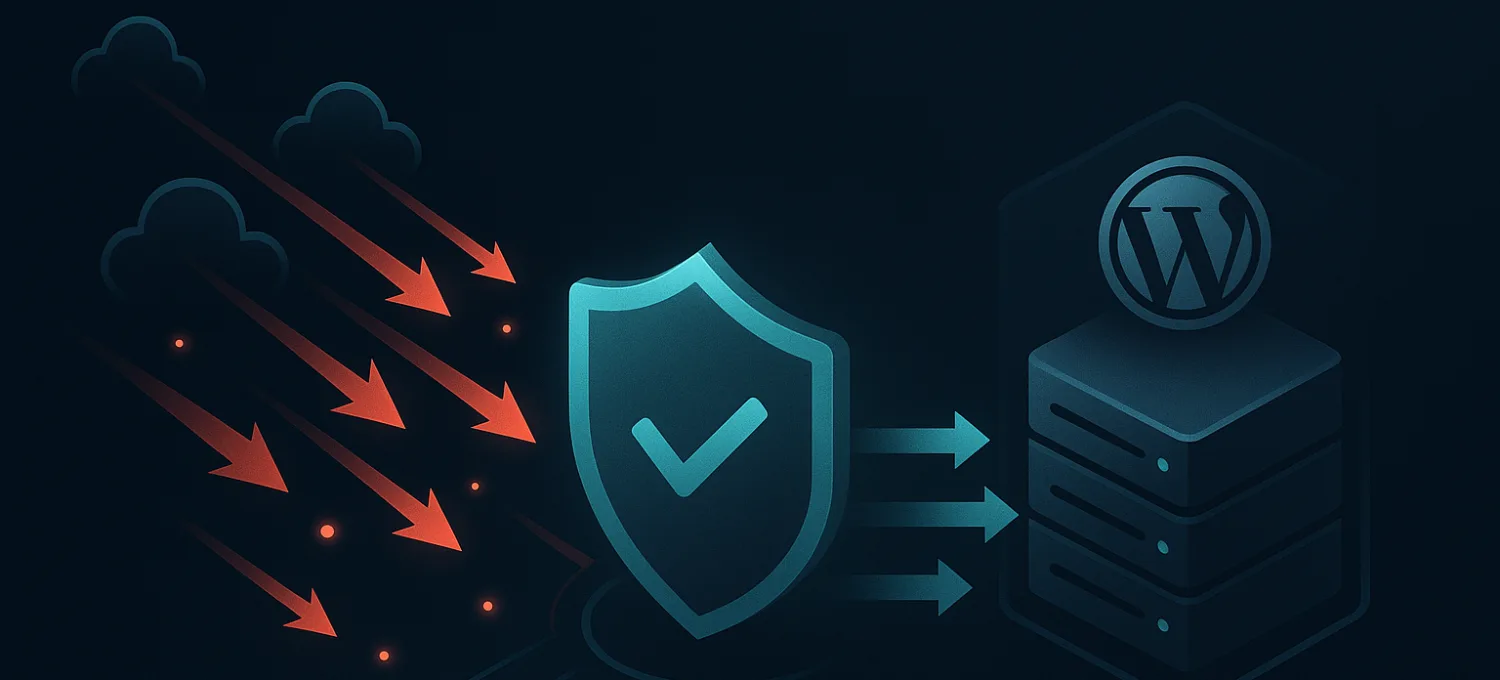
That’s why edge protection becomes the practical answer. Instead of asking your origin to survive the flood, you place filtering and absorption in front of it.
Why edge filtering changes the outcome
An edge platform sits between users and your origin. It uses distributed network capacity, traffic inspection, caching, and policy enforcement before requests or floods can consume your hosting resources.
That changes the attack math.
Instead of:
- traffic reaches host
- host gets saturated
- firewall drops what it can
- users feel pain
You want:
- bad traffic hits edge
- edge filters or absorbs it
- origin sees only the reduced, useful subset
- real users keep moving
The distinction sounds subtle, but in production it’s everything. If the attack never meaningfully reaches your origin, WordPress keeps doing WordPress work instead of drowning in network spillover.
What matters for WooCommerce
E-commerce needs more than “the homepage stayed online.”
WooCommerce stores care about:
- checkout continuity
- session stability
- logged-in account access
- bot separation
- fake-order pressure during broader attacks
- clear operator controls when traffic turns hostile
That’s why generic DDoS advice often falls short for store owners. It tends to focus on raw mechanics and not the business flow that breaks first.
As noted by Cloudflare’s discussion of DNS amplification in the WordPress and WooCommerce context, bot-driven attacks against these environments have risen 700% since 2016, and edge-first defense is critical because store operators need to protect checkout flows while filtering floods that can reach up to 179x amplification. The same source also highlights guided DNS onboarding and an Under Attack Mode style response as practical controls that traditional hosting and server-side tools don’t provide well.
That operational detail matters more than people think. A safe DNS cutover, rollback options, and readable traffic visibility reduce the chance that protection itself becomes a risky migration project. If you’re planning a change, this walkthrough on how to move DNS to a new edge provider without causing downtime is the sort of planning work that prevents panic later.
Good edge protection doesn’t just block traffic. It preserves the parts of the site that make money.
For agencies, edge protection also standardizes response. Instead of inventing a new playbook for every client host, you get one control layer for visibility, traffic policy, and emergency tightening. That’s easier to operate when several sites are under pressure at the same time.
Building Your Resilient Incident Response Plan
The best time to think about a dns amplification attack is when nothing is on fire.
Keep the plan simple
Most site owners don’t need a giant enterprise playbook. They need a short plan that survives stress.
Use five plain stages:
- Preparation: know who owns DNS, hosting, edge controls, and customer comms
- Identification: define what signals mean “traffic attack” versus “app bug”
- Containment: know which switches get flipped first
- Recovery: verify checkout, login, and admin after pressure drops
- Review: document what failed, what helped, and what should be automated
A good plan is short enough that someone can use it while the store is under pressure.
What good readiness looks like
Readiness is less about perfect detection and more about fast, calm action.
That usually means:
- One dashboard for visibility
- One place to tighten policy
- Clear alerting to the right people
- A rollback path for DNS or routing changes
- A post-incident checklist for checkout, orders, and admin
If your current setup makes you piece together clues from hosting tickets, plugin logs, and customer complaints, the plan is too fragile.
A dns amplification attack is powerful, but it’s not mysterious once you see the pattern. The fix is rarely “make WordPress stronger.” The fix is to stop bad traffic before WordPress has to touch it.
FirePhage helps WordPress and WooCommerce teams do exactly that. It puts managed WAF, global CDN, DDoS mitigation, smart edge caching, readable bot protection, and instant Under Attack Mode in front of the origin so hostile traffic gets filtered before it burns server resources. If you want edge protection that’s built for real production issues like checkout disruption, login abuse, scraping, fake orders, and safe DNS cutovers, take a look at FirePhage.
Authored using Outrank