
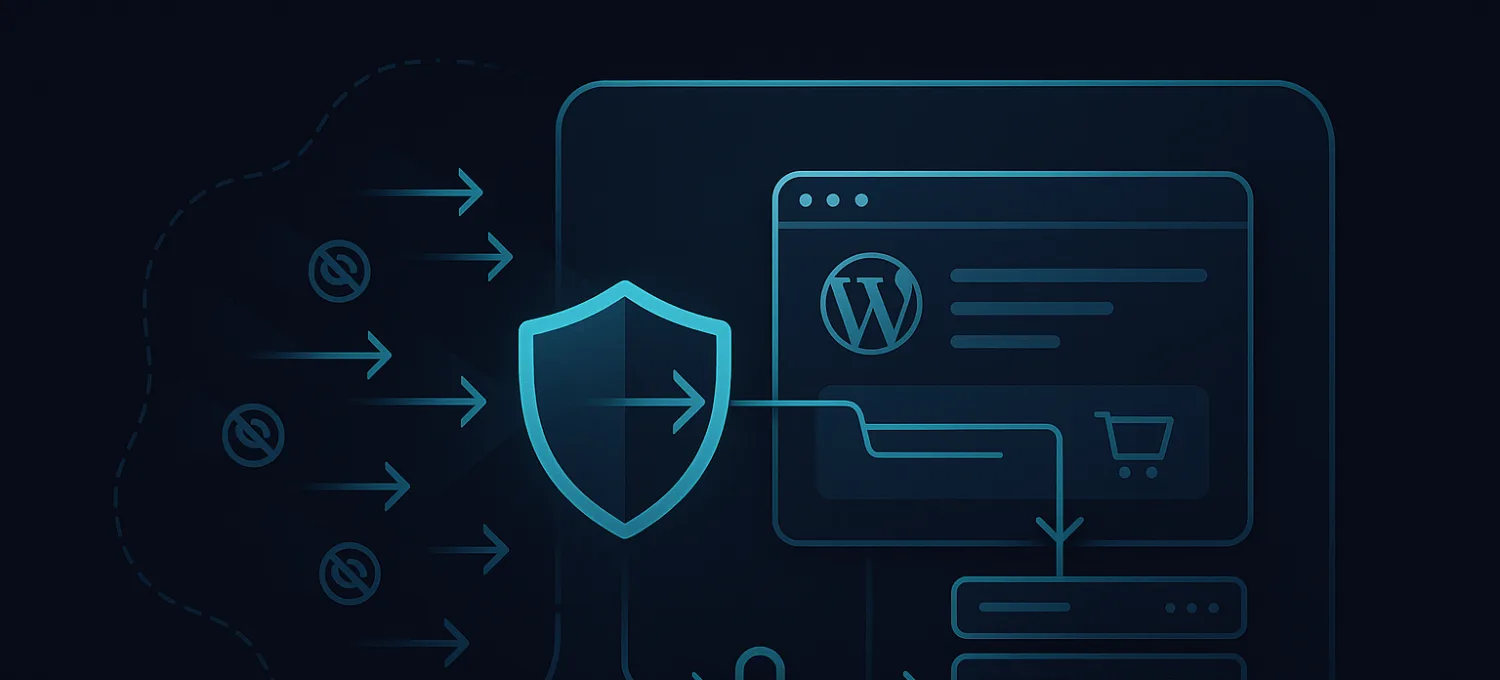
Most people hear global edge security and picture a map.
Dots in different countries. Lines between continents. Maybe a sentence about lower latency.
That is not wrong. It is just incomplete.
For WordPress and WooCommerce, global edge security is not mainly about where the servers are. It is about where requests get inspected, filtered, challenged, cached, and either allowed or stopped before your origin has to do the expensive work.
That difference matters because most WordPress failures are not clean downtime events.
They are degraded-origin events.
The homepage still loads. Admin slows down. Login gets noisy. Checkout starts failing for real customers while bots keep getting served. The site looks “mostly up” while the infrastructure underneath is bleeding resources.
Global edge security matters because it changes where that pressure gets handled.
What global edge security really means
At a practical level, global edge security means your site is not waiting until WordPress, PHP, and MySQL are already involved before it starts making security decisions.
Instead, those decisions move outward.
That includes:
- request filtering before origin
- bot and abuse detection at the edge
- caching closer to visitors
- geographic distribution of inspection points
- better absorption of traffic spikes
- cleaner separation between good traffic and expensive noise
This is why a purely plugin-level security model eventually runs into a wall.
A WordPress plugin can only act after the request reaches WordPress.
By then, the expensive part may already be happening.
Why WordPress sites struggle without it
WordPress does not fail the way people expect.
It usually does not jump from healthy to fully dead in one step.
The more common pattern looks like this:
- login traffic gets noisy
- bots hit
wp-login.php, XML-RPC, search, cart, or checkout - PHP workers stay busy on bad requests
- dynamic routes get slower first
- admin becomes painful
- real users start timing out
WooCommerce feels this even earlier because the important paths are dynamic:
- account
- cart
- checkout
- AJAX-heavy store behavior
- order/session logic
You can have a site that is technically online and commercially broken.
That is why “global edge security” is not just branding language. It is an architectural decision about where bad traffic gets forced to spend its energy.
CDN alone is not the same thing
This is where a lot of teams get misled.
They hear “global edge” and assume a CDN alone solves it.
A CDN helps with delivery and origin offload, but delivery is only one part of the problem.
If the edge is only serving cached files faster, but bad traffic still reaches the origin on dynamic routes without meaningful filtering, you have not really solved the WordPress security problem. You have only accelerated the static half of the site.
For WordPress and WooCommerce, the hard part is usually not the cached brochure pages.
It is the uncached, stateful, abuse-prone paths:
- logins
- account pages
- cart activity
- checkout requests
- abusive bots
- scraping
- fake order pressure
- XML-RPC floods
That is where edge security needs to do more than delivery.
It needs to inspect, block, challenge, and reduce origin dependence.
What strong edge protection looks like in practice
A useful edge security layer for WordPress should do at least four things well.
1. Filter hostile traffic before WordPress executes
If obvious junk traffic is allowed to wake up PHP, hit plugins, touch sessions, or trigger database work, the origin is already losing.
This is especially important for:
- login abuse
- brute-force pressure
- scraper traffic
- fake checkout attempts
- aggressive crawlers
- repeated API hits
The point is not only blocking. It is blocking early enough.
2. Reduce origin load on legitimate traffic
Not every request is hostile.
A large part of edge security is making sure clean traffic is handled efficiently so the origin stays available for the requests that actually require application work.
That means:
- smart caching
- better path handling
- origin shielding
- cleaner connection reuse
- less repeated work for static and semi-static content
3. Stay stable during ugly traffic, not ideal traffic
A lot of infrastructure looks fine under clean synthetic benchmarks.
Real WordPress operations are messier.
Traffic spikes mix with bad bots, plugin behavior, search crawlers, preview tools, login abuse, and customer sessions. The edge has to remain useful under those mixed conditions, not only under happy-path load.
4. Give operators readable visibility
Security that cannot be operated cleanly becomes noise.
This matters for agencies and store teams because the job is not only to block attacks. The job is to understand:
- what is hitting the site
- what is getting blocked
- what is reaching origin
- which paths are under pressure
- whether the issue is routing, bots, cache, or application load
That is where many generic infrastructure tools fall short for WordPress teams. They provide raw capability, but not always useful operator clarity.
Where DDoS and brute-force protection fit
Global edge security is broader than one attack category, but this is where DDoS and brute-force pressure fit naturally into the discussion.
Brute-force abuse is not always dramatic. Often it is just persistent, wasteful traffic against login and account endpoints.
DDoS pressure is not always a cinematic network flood either. On WordPress, the more painful version is often application-layer pressure:
- repeated expensive requests
- login bursts
- account abuse
- checkout and cart pressure
- bots creating load on dynamic endpoints
Those attacks hurt because they force the origin to do work that should have been challenged or blocked earlier.
So when people search for wordpress ddos, they are often not only asking about volumetric attacks.
They are asking why the site slows down, why checkout fails, why the host says “resources look normal,” and why WordPress feels unstable under traffic that is not converting.
That is an edge problem as much as a server problem.
Why plugin-only protection is not enough
WordPress plugins still matter. Local visibility matters. Malware scanning matters. File integrity matters. Login controls matter.
But plugins are not a substitute for edge protection.
They are the wrong place to carry the full defensive burden on their own.
A plugin can:
- detect local issues
- monitor WordPress health
- surface malware findings
- enforce some local login controls
A plugin cannot be the first line of defense against large-scale hostile traffic without consuming origin resources first.
That is why the model that makes sense is layered:
- edge layer filters and absorbs traffic before origin
- WordPress layer reports local health and integrity signals
- the operator sees both in one readable workflow
What this means for agencies and WooCommerce stores
Agencies usually feel this problem as operational chaos.
One client says the site is slow. Another says admin is broken. Another says checkout failed for three customers but worked for a fourth. A hosting panel says the server is “up.” Nobody has one clear picture of what is actually happening.
WooCommerce operators feel it more directly:
- fake orders
- login abuse
- scraping
- cart pressure
- checkout instability
- intermittent timeouts under mixed traffic
In both cases, global edge security matters because it reduces how often you need to debug those incidents from inside WordPress after the damage already reached origin.
The FirePhage angle
FirePhage is built around this exact distinction.
The edge is where traffic should be filtered, challenged, cached, and controlled before it reaches origin.
WordPress is where local visibility still matters for:
- malware scanning
- file integrity
- health checks
- update exposure
- plugin-side signals
That is why FirePhage combines edge-first protection with WordPress-side visibility instead of pretending either layer is enough by itself.
If you think of global edge security as “a CDN in many cities,” you miss the operational point.
If you think of it as “the layer that keeps hostile and wasteful traffic from becoming expensive WordPress work,” you are much closer to the truth.
The practical takeaway
For WordPress and WooCommerce, global edge security should mean:
- requests inspected before origin
- bad traffic filtered before PHP
- dynamic routes protected more intelligently
- cleaner origin load during spikes
- better operator visibility when things get ugly
That is the standard worth aiming for.
Anything less is usually just faster delivery on the easy half of the problem.
If your site is already feeling that familiar pattern of “technically up, commercially unstable,” the right question is not whether you need a faster CDN.
It is whether hostile and wasteful traffic is still being allowed to turn into expensive WordPress work.
That is the problem global edge security is supposed to solve.