
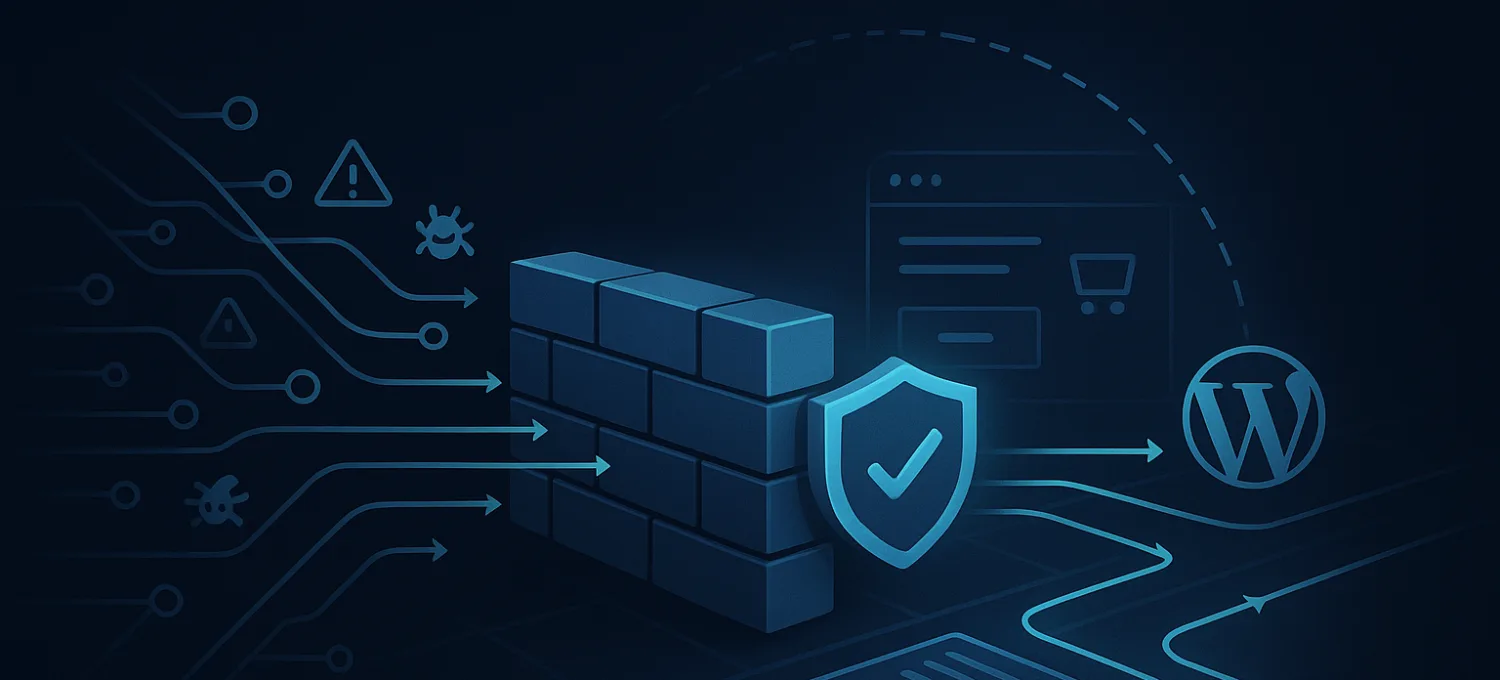
Essential steps to strengthen WordPress edge security
Imagine your WooCommerce store on a Tuesday morning: orders are flowing, customers are browsing, and then traffic spikes without warning. Within minutes, your server slows to a crawl, checkout fails, and real customers bounce. No plugin update caused it. No code change. Just a wave of bot traffic accounting for 40-50% of e-commerce traffic hitting your site all at once. This is the reality for WordPress and WooCommerce site owners who haven't put edge security in place. This guide walks you through exactly what edge security is, how to prepare your site, the core steps to implement it, and how to keep it working long after the initial setup.
Table of Contents
- Understanding edge security for WordPress and WooCommerce
- Prepare your website: Baseline requirements for edge security
- Step-by-step: Core edge security actions for WordPress sites
- Verify, monitor, and adapt: Ensuring your edge security holds up
- A smarter approach to edge security: Hard lessons from the frontlines
- Get comprehensive edge security for your WordPress site
- Frequently asked questions
Key Takeaways
| Point | Details |
|---|---|
| Edge security stops threats fast | Deploying edge protections like WAFs and DDoS scrubbing blocks attacks before they hit your site. |
| Bot traffic is a major risk | Automated bots cause up to 50% of e-commerce traffic and must be filtered at the edge to prevent abuse. |
| Ongoing monitoring is critical | Effective edge security needs regular review, alerting, and adaptation to keep up with evolving attacks. |
| Edge caching boosts security and speed | Properly configured CDN caching can lighten the server load by 40-60% and improve user experience. |
Understanding edge security for WordPress and WooCommerce
Edge security refers to protection that operates at the network perimeter, before malicious traffic ever reaches your origin server. Think of it as a filter that sits between the internet and your website, inspecting and blocking threats in real time. Traditional security measures like server-side firewalls or WordPress plugins are valuable, but they only act after traffic has already arrived at your hosting environment. Edge security intercepts threats earlier in the chain.
For WordPress and WooCommerce sites, this distinction matters a lot. Your site runs on one of the most widely used platforms on the web, which makes it a high-profile target. Attackers know the default login URL, the plugin ecosystem, and the common vulnerabilities. They exploit all of them at scale using automated tools.
The most common threats you'll face include:
- Distributed Denial of Service (DDoS) attacks that flood your server with requests
- Bot traffic scraping product data, prices, or customer information
- Brute-force login attempts targeting wp-admin and xmlrpc.php
- Automated form submissions and fake account creation
- Credential stuffing using leaked username and password combinations
Web Application Firewalls (WAFs) and bot mitigation tools are the two foundational layers of edge security. A WAF analyzes incoming HTTP requests and blocks those matching known attack patterns. Bot mitigation goes further, identifying non-human traffic through behavioral signals, rate patterns, and fingerprinting. Together, edge platforms block 60-80% of automated attacks before they touch your server.
"Edge security isn't just about stopping attacks. It's about making sure your server only sees traffic worth serving."
If you're running WooCommerce, the stakes are higher. Checkout pages, cart endpoints, and login forms are all prime targets. A single successful bot campaign can corrupt your analytics, inflate your server costs, and erode customer trust. Investing in WordPress WAF protection and bot protection solutions at the edge is the most direct way to reduce that exposure.
| Threat type | Attack method | Edge security response |
|---|---|---|
| DDoS | Volume-based request floods | Traffic scrubbing and rate limiting |
| Bot traffic | Automated crawlers and scrapers | Behavioral analysis and blocking |
| Brute-force | Repeated login attempts | IP blocking and challenge-response |
| Credential stuffing | Leaked credential replay | Rate limiting and MFA enforcement |
Prepare your website: Baseline requirements for edge security
With threats clearly defined, it's important to start with a solid foundation before layering on edge security tools. Rushing to deploy a WAF on top of an insecure base is like installing a deadbolt on a door with broken hinges.
Start with these baseline must-haves:
- WordPress core, themes, and plugins fully updated
- Strong, unique passwords for all admin accounts
- Two-factor authentication enabled on admin logins
- Daily automated backups stored off-site
- Unused plugins and themes removed
- File permissions set correctly on your server
Once your site is clean and current, you can layer in edge security tools. The core stack for a WooCommerce site should include a WAF, DDoS mitigation, bot filtering, and a CDN with edge caching. Proper edge caching reduces origin load by 40-60% and can boost conversion rates by 20-30%, so it serves both security and performance goals simultaneously.
| Tool | Primary benefit | Recommended for |
|---|---|---|
| Web Application Firewall | Blocks malicious HTTP requests | All WordPress sites |
| DDoS protection | Absorbs volumetric attacks | High-traffic and e-commerce sites |
| Bot mitigation | Filters non-human traffic | WooCommerce stores |
| CDN with edge caching | Reduces origin load and speeds delivery | All WordPress sites |
| Security plugin | Monitors and alerts on-site activity | All WordPress sites |
For tool selection, look at purpose-built solutions for WordPress. Generic enterprise tools often require complex configuration that doesn't map well to WordPress environments. The DDoS protection overview and WordPress security plugin options designed specifically for WordPress reduce that friction considerably.
Pro Tip: Before you configure any edge security service, confirm your hosting provider supports custom DNS records and external CDN routing. Some managed hosts restrict DNS changes, which can block you from pointing traffic through an edge layer entirely.
Step-by-step: Core edge security actions for WordPress sites
You've got the right groundwork, so it's time to take action, step by step.
-
Deploy a WAF at the network edge. Choose a WAF that operates outside your server, not just as a WordPress plugin. Configure it to block OWASP Top 10 vulnerabilities and apply WordPress-specific rulesets. Review the deploying a WAF documentation for your chosen provider to map rules to your site's traffic patterns.
-
Apply bot filtering rules. Set rate limits on requests per IP per minute. Enable challenge-response (like CAPTCHA or JavaScript challenges) for suspicious traffic. Use signature-based detection to block known bad bots and behavioral analysis to catch newer ones that mimic human browsing.
-
Harden login and authentication endpoints. Restrict access to wp-admin and wp-login.php by IP where possible. Enable multi-factor authentication for all admin users. Geo-blocking can reduce brute-force volume significantly if your customer base is regionally concentrated. For more detail, see these brute-force prevention tips.
-
Enable edge caching through a CDN. Configure your CDN to cache static assets aggressively and handle dynamic WooCommerce pages with appropriate cache exclusions for cart and checkout. This reduces the number of requests hitting your origin server during traffic spikes.
-
Activate high-capacity DDoS mitigation. Scale matters here. Cloudflare provides 100+ Tbps of DDoS scrubbing capacity, which illustrates just how large modern attacks can get. Your mitigation layer needs to absorb that kind of volume without passing it downstream. Review the Layer 7 DDoS protection guide to understand application-layer attack patterns specific to WordPress.
-
Test your configuration. Use tools like security scanners and synthetic traffic tests to confirm your WAF is intercepting threats correctly. Verify that legitimate traffic flows without friction.
Pro Tip: Set a calendar reminder to review your firewall and CDN logs every two weeks. Threat patterns shift, and what worked three months ago may need adjustment today.
Verify, monitor, and adapt: Ensuring your edge security holds up
The work isn't finished after setup. Edge security is not a set-and-forget system. Threats evolve, and your configuration needs to keep pace.
Start with a verification checklist after initial setup:
- Confirm WAF rules are active and logging blocked requests
- Run a simulated login attack to verify brute-force protection triggers
- Check that CDN is serving cached content and not bypassing edge rules
- Verify DDoS mitigation is routing traffic through the scrubbing layer
- Review DNS settings to confirm all traffic passes through your edge provider
For ongoing monitoring, focus on these signals:
- Unusual spikes in blocked requests (may indicate a new attack campaign)
- Increased 4xx error rates on login and checkout pages
- Geographic traffic anomalies inconsistent with your customer base
- Slow response times from your origin server despite low legitimate traffic
The impact of bot traffic on WordPress sites can be subtle. A site that stays online but performs poorly is still losing revenue. Monitoring needs to go beyond uptime checks.
"The organizations that experience the fewest incidents aren't the ones with the most tools. They're the ones who review their data consistently and act on what they find."
Edge security benchmarks confirm that blocking 60-80% of automated attacks is achievable, but only with rulesets that are regularly updated as threat signatures evolve.
| Monitoring tool | Alert type | Response strategy |
|---|---|---|
| WAF dashboard | Blocked request spikes | Review and tighten rules |
| CDN analytics | Cache miss rate increase | Investigate origin exposure |
| Server logs | Unusual 4xx/5xx patterns | Check for bypass attempts |
| Uptime monitor | Response time degradation | Trigger DDoS review |
For sites dealing with XML-RPC abuse, dedicated XML-RPC abuse prevention rules should be part of your WAF configuration. And if managing all of this feels overwhelming, there are practical ways to manage security with ease without turning it into a full-time job.
A smarter approach to edge security: Hard lessons from the frontlines
Here's something conventional security advice rarely says plainly: most WordPress sites get compromised not because the right tools didn't exist, but because nobody was watching when the threat pattern changed.
I've seen sites with solid WAF configurations get hammered by bot campaigns that simply shifted their request frequency just below the rate-limiting threshold. The tools were in place. The monitoring wasn't tight enough. That's the gap most site owners underestimate.
Edge security is a mindset, not a milestone. The initial setup is the easy part. The real discipline is in reviewing threat intelligence regularly, updating rulesets when new attack patterns emerge, and treating your security dashboard as a live document rather than a confirmation screen.
"Organizations that treat edge security as continuous improvement experience far fewer incidents than those who treat it as a completed project."
Pro Tip: Subscribe to threat intelligence feeds relevant to WordPress and WooCommerce. When a new vulnerability surfaces, you want to know before attackers start scanning for it. Pairing that awareness with effective WAF solutions that support rapid rule deployment puts you in a proactive position rather than a reactive one.
Get comprehensive edge security for your WordPress site
If you've worked through this guide and want a platform that handles WAF, DDoS mitigation, bot filtering, and origin shielding in one place, FirePhage is built specifically for WordPress and WooCommerce environments.
FirePhage brings together WordPress WAF protection, DDoS mitigation tools, and a dedicated WordPress security plugin under a unified dashboard designed for site operators, not security engineers. The onboarding process is zero-downtime, DNS-based, and built to avoid disrupting your live traffic. For WooCommerce stores managing checkout, login, and cart security, it's a purpose-fit solution that scales with your site.
Frequently asked questions
What is the most important first step for edge security on WordPress?
The most important first step is deploying a reputable Web Application Firewall at the network edge. Edge platforms block 60-80% of automated attacks via WAF, making it the single highest-impact layer you can add.
How often should I monitor edge security for my WooCommerce store?
You should review logs and your security dashboard at least weekly, with real-time alerts enabled for immediate incidents. Ongoing adaptation is crucial because threat patterns shift faster than most site owners expect.
Does edge caching really improve security or just speed?
Edge caching does both. It accelerates content delivery and acts as a buffer that reduces origin server exposure during bot floods and DDoS events. Edge caching reduces origin load by 40-60%, which directly limits the damage a volumetric attack can cause.
Why are e-commerce sites especially targeted for bot traffic?
E-commerce sites hold valuable customer data, pricing information, and payment flows that bots can exploit for competitive scraping, credential theft, or fraud. Bot traffic is 40-50% of all e-commerce traffic, making automated threat management a non-negotiable part of running a WooCommerce store.